


Go Attend
0.00.00 Reviews
App Specs
- Version
- 1.21.0
- Updated On
- License
- Free
- Downloads
- 10,000+
- Developer
- Swoogo
- Categories
- Events
- Platform
- Android
Screenshots
 Analysis by AppCompare
My first impression of Swoogo: Go Attend is that it’s meant to bring the practical parts of attending an event into one place. That can be useful when a conference has several sessions, a changing schedule and a venue that’s hard to navigate. But an event app earns a lasting place on my phone only if it keeps helping after the initial setup, without turning into another thing I need to manage.
This is a free events app from Swoogo, with an Everyone age rating. It launched on September 9, 2025, and version 1.13.0 is listed for Android 7.0 and later. It has over 10,000 installs, while its average rating is currently 0.0, so there isn’t a meaningful rating average to lean on. I’d judge it by whether it fits the specific event I’m attending, rather than treating its general event focus as a guarantee that every organizer uses it the same way.
What matters during the first week
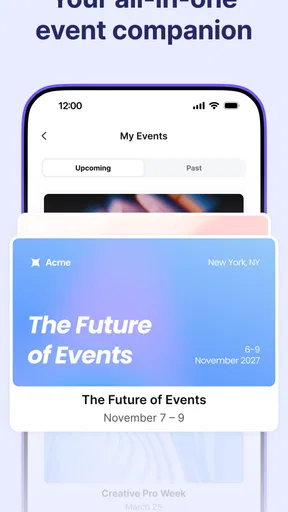
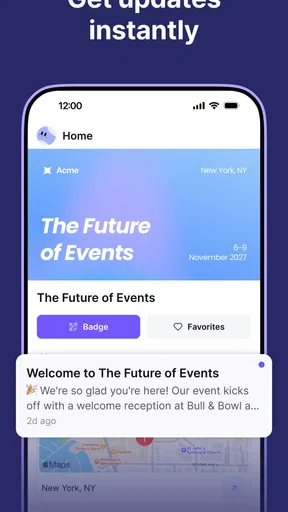
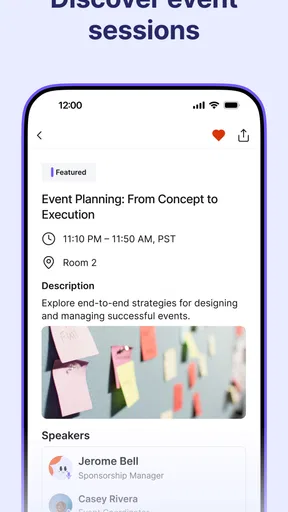
The first week is when the idea is easiest to appreciate: I can see how an event app might reduce the juggling between a schedule, venue details and notes. The published feature set describes event discovery, a personal agenda, networking suggestions and interactive maps. Those tools sound most relevant when the event itself is supported by them and has enough useful information to make the app worth opening.
There is an important distinction between downloading an event app and having an event ready to use in it. Before relying on it, I would check that the event I’m attending is available, that its programme is populated and that the practical details I need are present. That quick check prevents the common disappointment of installing an app only to find that it doesn’t help with the particular gathering on my calendar.
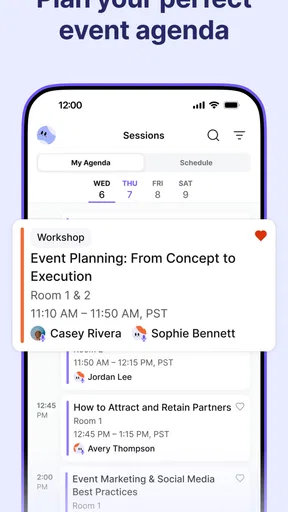
For a newcomer, the agenda is probably the clearest starting point. I’d use it to choose sessions before arriving, then check it again if I need to decide between overlapping talks. That is more useful than trying to remember a programme from a browser tab or a printed handout, especially on a busy day. The trade-off is that a schedule is only as helpful as the information an organizer keeps in it.
Where recurring value can come from
The question after the event is whether I’d keep the app installed. For someone who attends several events that use Swoogo, the value can build: familiarity with the same event-focused approach makes the next schedule easier to handle, and the networking and map tools may matter again in a different venue. For someone attending one event, the app may be useful for that occasion and then have little reason to stay in regular rotation.
I wouldn’t confuse a personal agenda with a complete calendar habit. If I already track work and personal commitments in a calendar app, I’d keep that as my main source for the overall week and use this app for event-specific planning. That avoids splitting ordinary appointments across two places, while still letting an event agenda help with sessions and venue navigation. The app’s strongest role is as a companion to an event, not necessarily a replacement for the calendar I already use.
Worth Reading Before You Choose

EA SPORTS FC Mobile 26 Is a Bigger Football Game, but It Takes Time

Flipboard Shows What News Apps Must Do Beyond the Feed

Switching to Android Auto Means Rethinking Your Driving Routine

Google Calendar Makes a Crowded Week Easier to Manage

Ludo King Makes the Most of the Minutes Between Plans

Baby Panda World Brings Quick Play to Modern Phones, but Its Game Library Feels Busy
Networking features also have a natural limit: suggestions are only useful if I want to make new contacts and the event gives me a reason to act on them. I’d treat them as an optional prompt, not an obligation to spend the day connecting. If I’m attending mainly to listen, learn or meet one colleague, I can focus on the programme and leave that part alone.
Keeping the app useful without extra work
Event tools can save time on site, but only if I do a small amount of preparation beforehand. I’d check the event page and agenda while I still have time to compare sessions, mark the talks I care about and identify where I need to be. Once at the venue, I’d use the map for unfamiliar locations rather than repeatedly searching through event information. A few purposeful checks are more likely to help than opening the app every few minutes without a question in mind.
There’s also a sensible fallback worth keeping: if a session or room detail matters, I’d make a brief note or keep the organizer’s official information accessible as well. I don’t want my entire plan to depend on a single app being convenient at the exact moment I need it. That isn’t a criticism unique to Swoogo; it’s a practical habit for any digital event companion, especially when a crowded day leaves little room to troubleshoot.
My main maintenance concern is the possibility of being logged out unexpectedly, which the earlier hands-on account of the app reported. If that happens, it can interrupt a quick schedule check at the worst time. I’d sign in before leaving for the venue and avoid waiting until I’m in a hurry to find out whether my access still works. The reported interface can also feel like a lot for a first-time user, so I’d start with the agenda and map rather than trying to explore every option at once.
Who will benefit, and who may not
I can see this app suiting conference attendees who want a session plan, visitors who expect to navigate an unfamiliar venue, and people who are open to meeting contacts through an event. Organizers may also find an event-specific mobile companion useful, but the attendee’s experience depends on the event being set up with relevant content. If the schedule is sparse or the app isn’t used for the gathering in question, its broader toolkit won’t solve that problem.
It’s less compelling for someone who goes to occasional informal meetups, already gets everything needed from a simple event page, or prefers a printed programme. Those alternatives can be quicker when there are only a few details to remember. A general calendar is better for seeing an event alongside everyday appointments; a dedicated event app makes more sense when sessions, contacts and venue information need to sit together.
For a realistic use case, imagine arriving at a multi-session conference with two talks that overlap and a meeting in a room you haven’t visited before. I’d use the agenda to settle the choice in advance, check the map before walking across the venue, and keep the rest of the day in my regular calendar. If I’m interested in meeting attendees, I’d look at networking suggestions during a quiet break rather than letting them distract me during sessions. That’s a more intentional workflow than trying to use every feature simply because it’s there.
Using Swoogo: Go Attend at an actual event
I’d use this section to think through the app in the moments that matter at a venue: checking the day’s plan before leaving home, finding the next room, and choosing what to do when sessions overlap. My practical rule would be to settle the important decisions while I have time, then use the app for quick checks rather than constant browsing. That makes its value easier to judge as the event unfolds.
Features that Make a Difference
Alright, let’s get into the meat of it. The app packs quite a punch in terms of features. Here are some that I found particularly noteworthy:
- Event Discovery: Whether you’re looking for conferences, workshops, or social gatherings, the app’s event discovery feature is quite robust. You can filter events by location, date, or even by category.
- Personalized Agenda: This feature allows you to create and manage your own schedule. You won’t miss out on any key sessions or workshops, as the app sends you reminders beforehand.
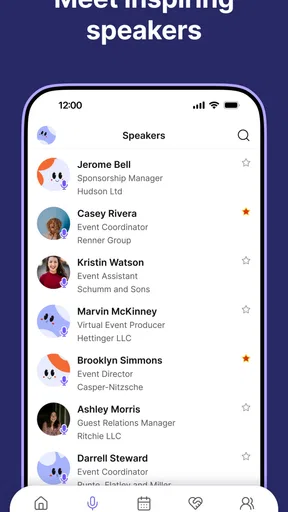
- Networking Opportunities: This is a gem. The app suggests potential connections based on shared interests and event history, making it easier to network with like-minded individuals.
- Interactive Maps: Getting lost at a large venue is a thing of the past. The interactive maps guide you seamlessly to your desired locations.
The app is clearly designed with both attendees and organizers in mind, offering tools that cater to both sides of the event spectrum. In day-to-day use, though, I’d think of it primarily as an attendee’s companion: the practical payoff comes from having relevant event details ready when I need to make a choice or find a place.
User Experience and Interface
Now, let’s talk about the user experience. The interface is sleek and modern, with intuitive navigation. I appreciate how the developers have kept the design minimalistic, focusing on functionality without sacrificing aesthetics.
One of the standout elements is the app’s speed. Transitions between screens are smooth and load times are quick, ensuring that you don’t waste precious minutes waiting for information to load, especially during busy events.
"The app’s speed and intuitive design make it a joy to use, even for those who aren’t tech-savvy."
What Could Be Improved?
While there’s a lot to love about Swoogo: Go Attend, no app is without its quirks. I noticed that the app occasionally logged me out unexpectedly, which was a bit frustrating. However, this isn’t a deal-breaker and could easily be resolved in future updates.
Additionally, while the app offers a plethora of features, it may feel a tad overwhelming for first-time users. A brief tutorial or guided tour upon first use could help mitigate this issue.
The Final Verdict
All in all, Swoogo: Go Attend is a must-have for anyone involved in the event scene. Its comprehensive feature set, combined with a user-friendly experience, makes it a top contender in the event management app space.
Whether you’re an event planner looking to streamline your workflow or an attendee eager to make the most of your time, this app has got you covered. I’d definitely recommend giving it a try and seeing how it can enhance your event experiences.
So, what are you waiting for? Go ahead and download Swoogo: Go Attend from your app store, and let me know what you think. Happy event planning!
My lasting take
For me, this isn’t automatically a permanent install. It earns a place while an event is approaching and taking place, especially if the schedule, map and attendee tools are genuinely relevant. Afterward, I’d decide based on whether another Swoogo-supported event is on my horizon. That’s not a weakness so much as the nature of a focused event app: its value can arrive in useful bursts instead of becoming a daily habit.
If you’re deciding whether to try it, I’d first confirm that your event is represented and then use the agenda as the main test. If that alone makes planning easier, explore the map or networking options only when they serve a real need. If the event’s essential information is already easy to access elsewhere, or you don’t want another sign-in to manage, sticking with your calendar and the organizer’s usual materials may be simpler.
My recommendation is therefore conditional rather than universal. For an attendee with a well-supported event and a packed programme, it looks like a handy companion that can reduce small bits of friction. For a one-off, low-key gathering or someone who prefers to keep event planning minimal, it may not justify ongoing space on the phone. I’d install it for the event, prepare the essentials ahead of time, and let actual usefulness—not the number of available tools—decide whether it stays.
Pros
- User-friendly interface for quick navigation.
- Seamless integration with event calendars.
- Real-time updates on event schedules.
- Customizable notifications for event reminders.
- Offline access to event information.
Cons
- Limited customization for event themes.
- Occasional syncing issues with other apps.
- Heavy battery usage during live events.
- Requires stable internet for optimal performance.
- Subscription needed for premium features.
FAQs for Go Attend
What is Swoogo: Go Attend and who is it for?
Swoogo: Go Attend is a mobile app designed to streamline the event check-in process for both organizers and attendees. It provides features like QR code scanning, attendance tracking, and real-time updates. This app is ideal for event planners, conference organizers, and anyone who needs an efficient way to manage event entries and monitor participant engagement.
How does the QR code scanning feature work in Swoogo: Go Attend?
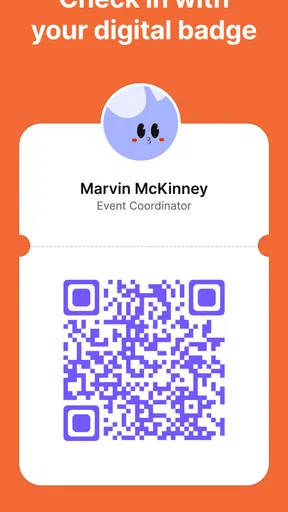
The QR code scanning feature in Swoogo: Go Attend allows users to quickly check in attendees by scanning their unique QR codes. Organizers can generate these codes for each participant prior to the event. At the event, attendees simply present their QR codes on their mobile devices or printed tickets, and the app instantly registers their attendance, making the process fast and seamless.
Is Swoogo: Go Attend available for both Android and iOS devices?
Yes, Swoogo: Go Attend is available for download on both Android and iOS platforms. This ensures that users across different devices can access and utilize the app's features without any compatibility issues. You can find the app on the Google Play Store for Android users and the Apple App Store for iOS users.
What are the primary benefits of using Swoogo: Go Attend for event organizers?
Swoogo: Go Attend offers several benefits for event organizers, including efficient attendee management through real-time check-ins and detailed attendance reports. The app simplifies the registration process, reduces waiting times at event entrances, and enhances the overall attendee experience. Additionally, it provides valuable data analytics to help organizers improve future events.
Are there any security measures in place to protect attendee information in Swoogo: Go Attend?
Swoogo: Go Attend prioritizes user data security by implementing robust encryption and secure data handling practices. Attendee information is protected through secure servers and encryption protocols. Furthermore, the app ensures that only authorized personnel have access to sensitive data, thus maintaining the confidentiality and integrity of attendee information.


